SO-101 SimStudio 项目介绍 / Project intro
📖 This is the concise version (~3 min). For the full engineering details (design decisions, algorithm / reward, diagnostics, reproduce commands), read the deep-dive →
Why this project
Like many in this community, I started my physical-AI and robotics journey with SO-101 and LeRobot — an excellent on-ramp: open hardware, an active community, and a clear dataset format that gets you moving quickly.
I’m also an AMD ROCm developer. Simulation matters just as much for robot physical AI: before you invest in real hardware, MuJoCo-class physics lets you teleoperate, collect demonstrations, and validate pipelines in sim. Yet in the LeRobot ecosystem, turnkey SO-101 simulation + data collection on ROCm was still thin on the ground.
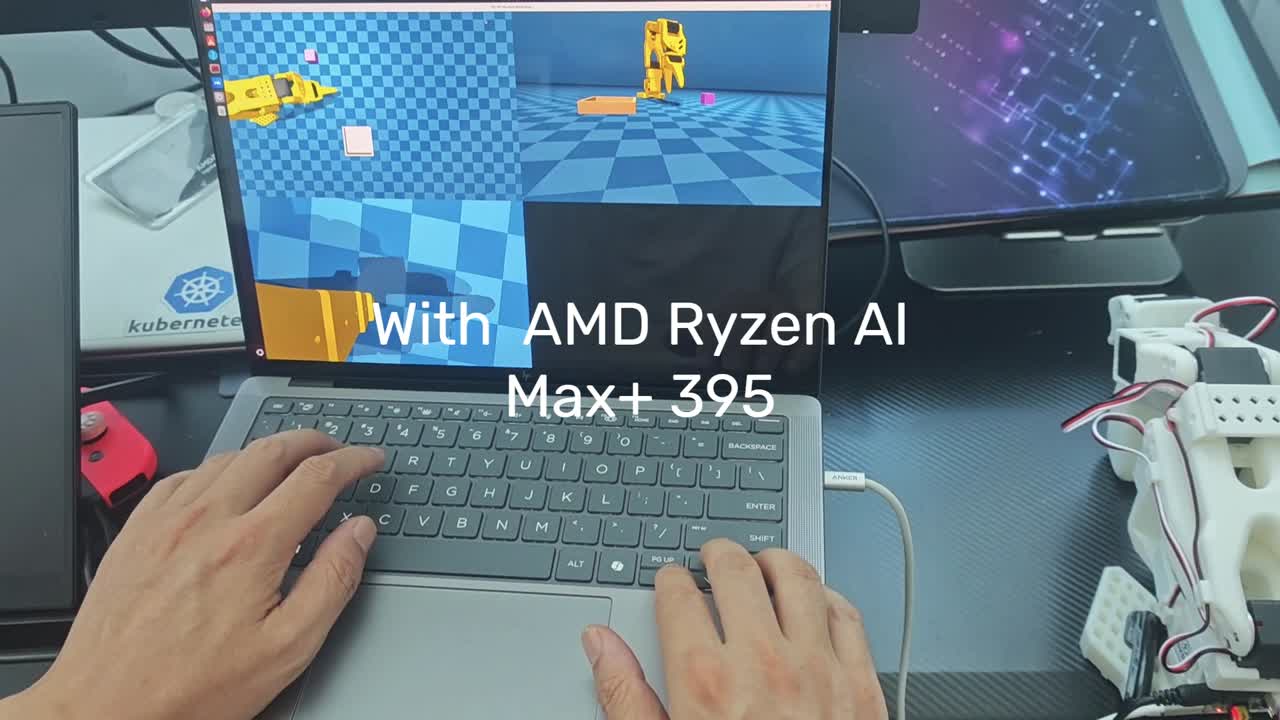
SO-101 SimStudio brings the pieces together: the SO-101 arm, MuJoCo physics, LeRobot v3.0 datasets, and a ROCm-first setup and docs. The goal is simple — let physical-AI developers learn robot physical AI from simulation on AMD ROCm. An AMD Ryzen AI laptop or mini PC is enough to open that door.
The project is actively developed (real follower hardware, behavior-cloning training, and more on the ROADMAP). This post covers the first stable release (v0.1.2) — what it is and what it can do today.
What v0.1.2 offers
| Capability | Notes |
|---|---|
| Three teleop backends | Keyboard (velocity), Joy-Con (cylindrical reach/swing), leader arm (Feetech STS3215 position mapping) |
| Dual recording GUI | --view_mode mujoco (GLFW 3D, low latency) or rerun (multi-camera stream, Wayland-friendly) |
| LeRobot v3.0 | Record, replay, validate, Rerun viz — no upstream LeRobot patches, plugin registration only |
| MuJoCo sim | SO-101 6-DOF arm, simple_pick table task, three cameras |
| ROCm setup | make rocm-sync one-shot deps; Ubuntu 24.04 + ROCm 7.2.x is the supported matrix |
Three teleop modes (demo footage)
v0.1.2 ships three teleop backends on the same LeRobot v3.0 recording pipeline. Clips from project demo video (SO101-SimStudio-Demo01.mp4):
| Keyboard | Joy-Con | Leader arm |
|---|---|---|
Keyboard velocity control | Joy-Con cylindrical control | Real leader position mapping |
| World-frame velocity (WASD) | Cylindrical reach/swing; one-handed record | Feetech STS3215, 1:1 position mapping |
Architecture at a glance
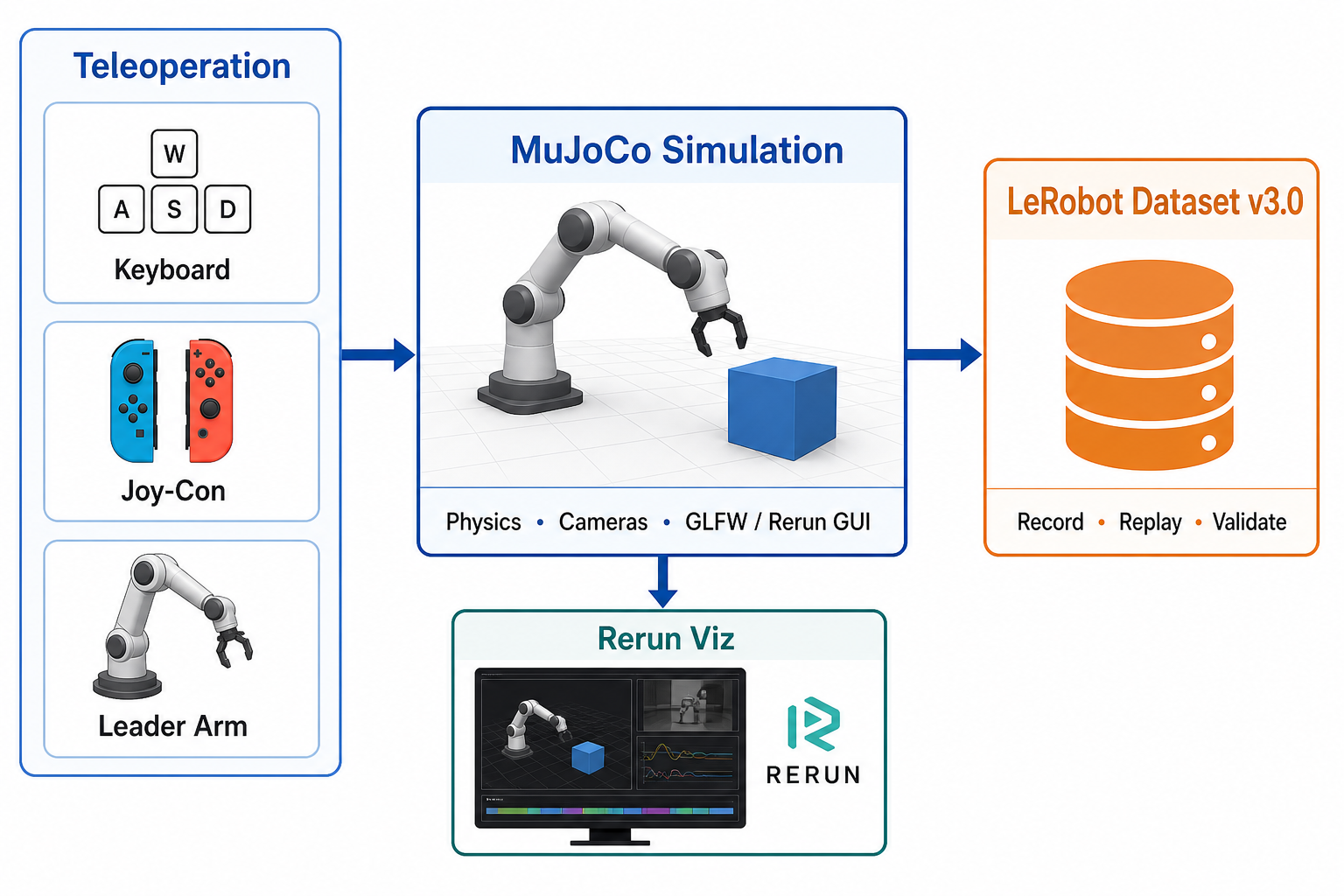
Teleop → action mapping → MuJoCo sim → LeRobot dataset. LeRobot’s record/replay scripts discover plugins (lerobot_robot_* / lerobot_teleoperator_*); SimStudio implements the robot and teleop layers only, keeping the submodule pristine.
Where to start
New readers: start with QUICKSTART.md — install, smoke checks, and recording commands for all three teleop modes.
Shortest path:
git clone --recursive https://github.com/alexhegit/so101-simstudio.git
cd so101-simstudio
make rocm-sync
source .venv-rocm/bin/activate

python -m simstudio.scripts.record \
    --config configs/so101_mujoco_keyboard.yaml \
    --view_mode mujoco
More docs: DESIGN.md (architecture), ROADMAP.md (plans).
Acknowledgements & practice
SimStudio stands on open source: LeRobot, MuJoCo, The Robot Studio SO-ARM100, joycon-robotics, Rerun, and more. See ACKNOWLEDGEMENTS.md in the repo.
Try it: clone → run make smoke-keyboard-record → record 1–2 episodes → replay with dataset_viz or replay scripts. Issues and PRs welcome.
Series follow-up: Closing the Loop: Lab 01 Pick-and-Place (v0.1.3) — sim demos → ACT / SmolVLA train → MuJoCo eval.
- Code: github.com/alexhegit/so101-simstudio
- Deep-dive: README-details.md
📖 Want more? Full engineering details in the deep-dive.